CodeAlta Principles
A few product and engineering principles keep CodeAlta efficient, inspectable and practical for real development work as it grows. They guide CodeAlta Desktop and CodeAlta TUI alike.
Efficient. Transparent. Keyboard-first. Session-oriented. Provider-agnostic. Native .NET. Error-aware. Extensible.
Efficient interface
High signal, low ceremony, no chat-bubble padding. The timeline is a full-width working stream where prompts, answers, reasoning, tool calls, statistics and file changes share one surface.
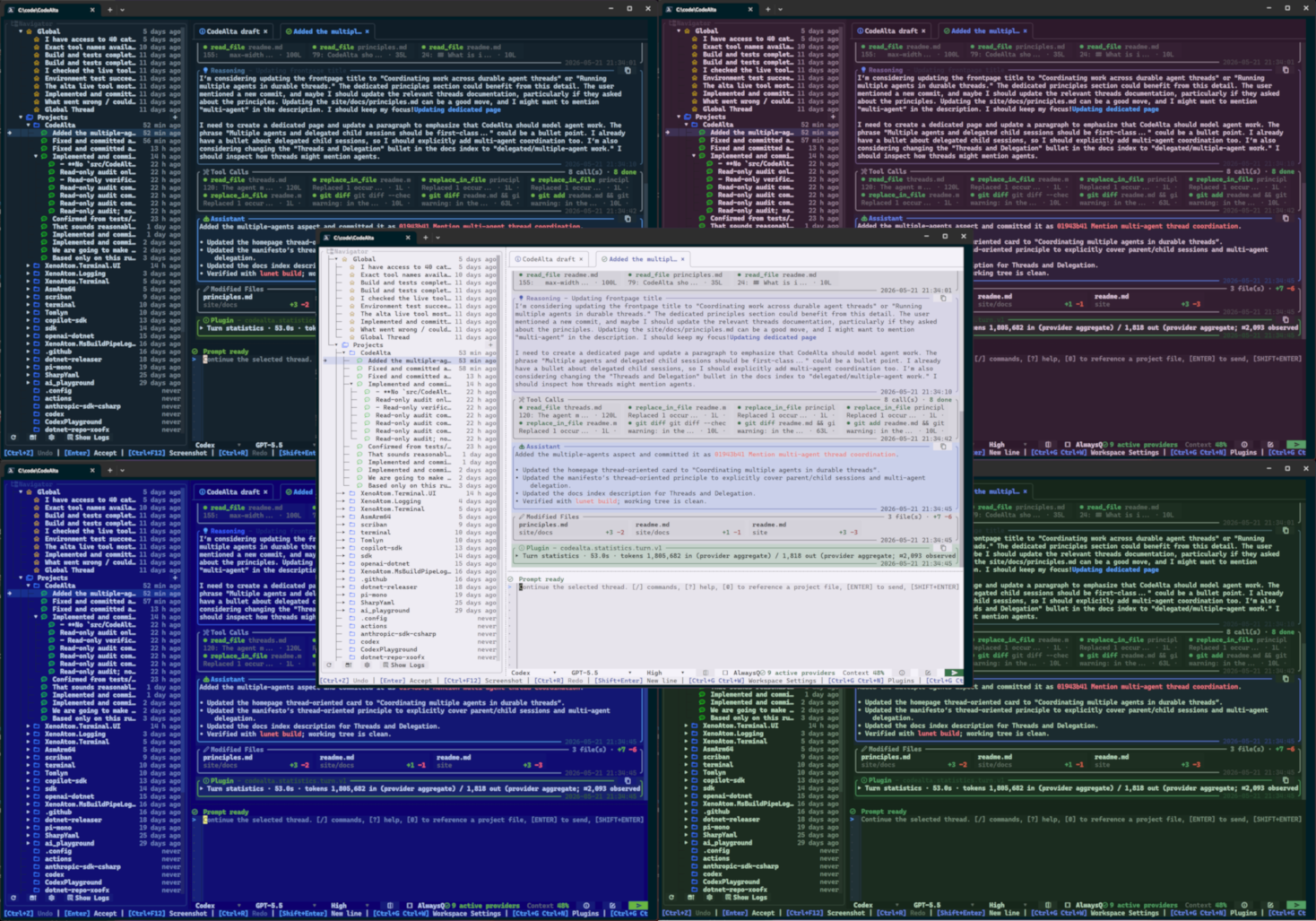
What this means in practice:
- Event types are told apart by icons, colors and headers.
- Tool calls are compact chips, not noisy logs.
- Summaries show status, tool name, output size, line counts and file-change totals.
- Details stay one click away, in expandable sections and dialogs.
- Color themes are easy to choose.
- Compactness removes wasted space, never state.
Transparent execution
Agent work stays inspectable. Verbose details can be collapsed, but stay reachable when they matter for review, debugging or trust.
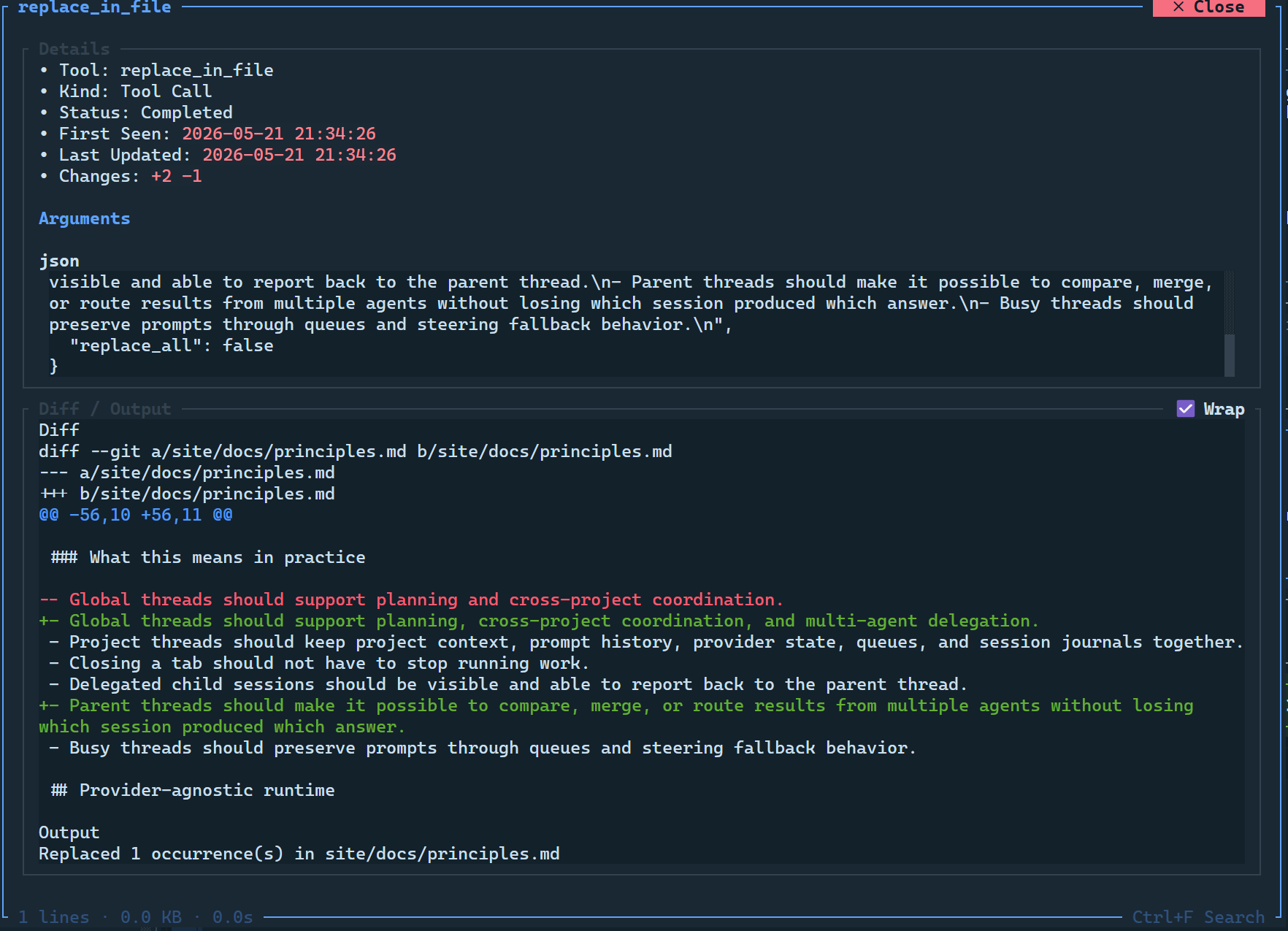
What this means in practice:
- System prompts are visible, and their changes show as diffs.
- Compactions appear in the timeline, with their summaries.
- Model and provider changes are visible in the session history.
- Tool results and changed files can be inspected afterwards.
- Usage and context are a shortcut away.
Keyboard-first workflow
Normal work is done from the keyboard; the mouse is a convenience. Commands, slash commands, command discovery and shortcuts cover the development loop.
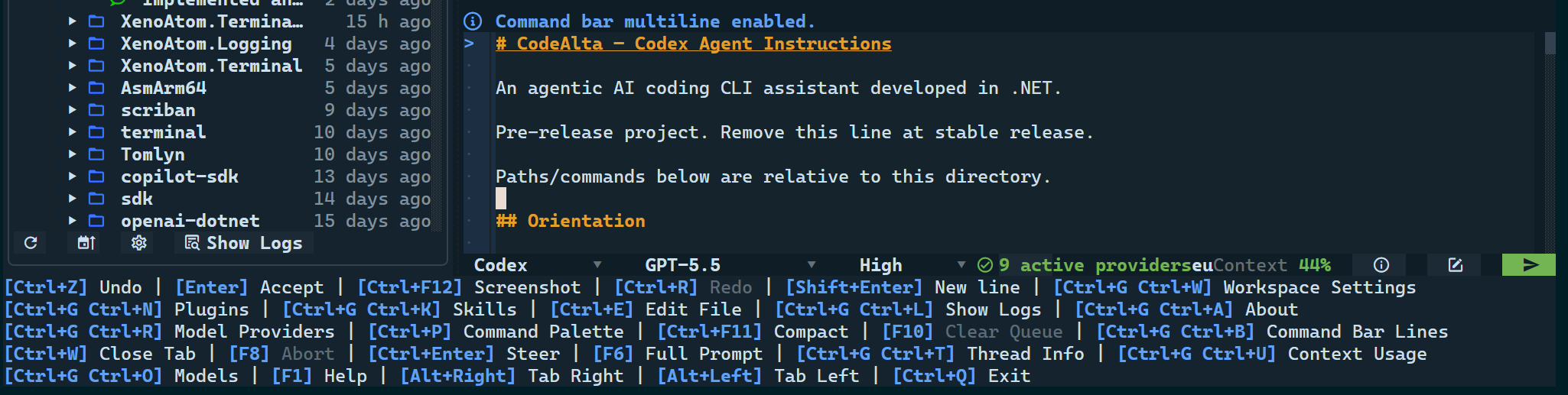
What this means in practice:
- Open providers, models, plugins, settings, logs, usage and session reports.
- Move between the sidebar, the prompt, the model selector and the tabs.
- Switch, open and reopen tabs.
- Go to the previous or next message, the first or the latest.
- Open files, and attach files and folders to prompts.
- Send, queue, steer, abort, compact or delegate.
- Close a popup and be back at the prompt.
Session-oriented workspace
Agent work is a durable session, not disposable chat scrollback. A session keeps its history, provider state, queue and project together, with its parent and children when several agents work on one goal.
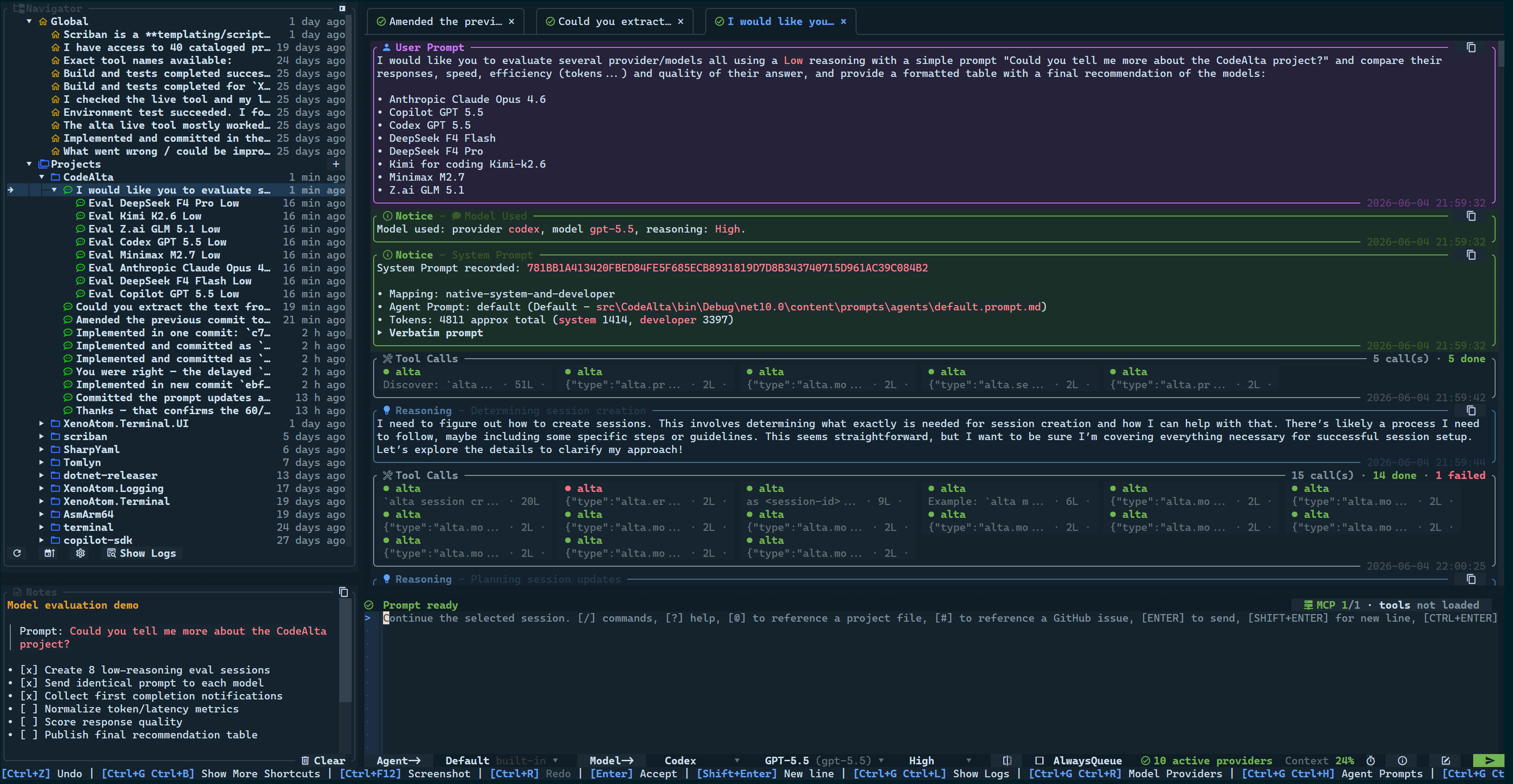
What this means in practice:
- Sessions of no project plan and coordinate work across projects.
- Closing a tab does not stop running work.
- Child sessions are visible and report back to their parent.
- A parent compares, merges or routes the results of several agents and knows which child gave which answer.
- A busy session keeps your prompts in its queue.
Provider-agnostic runtime
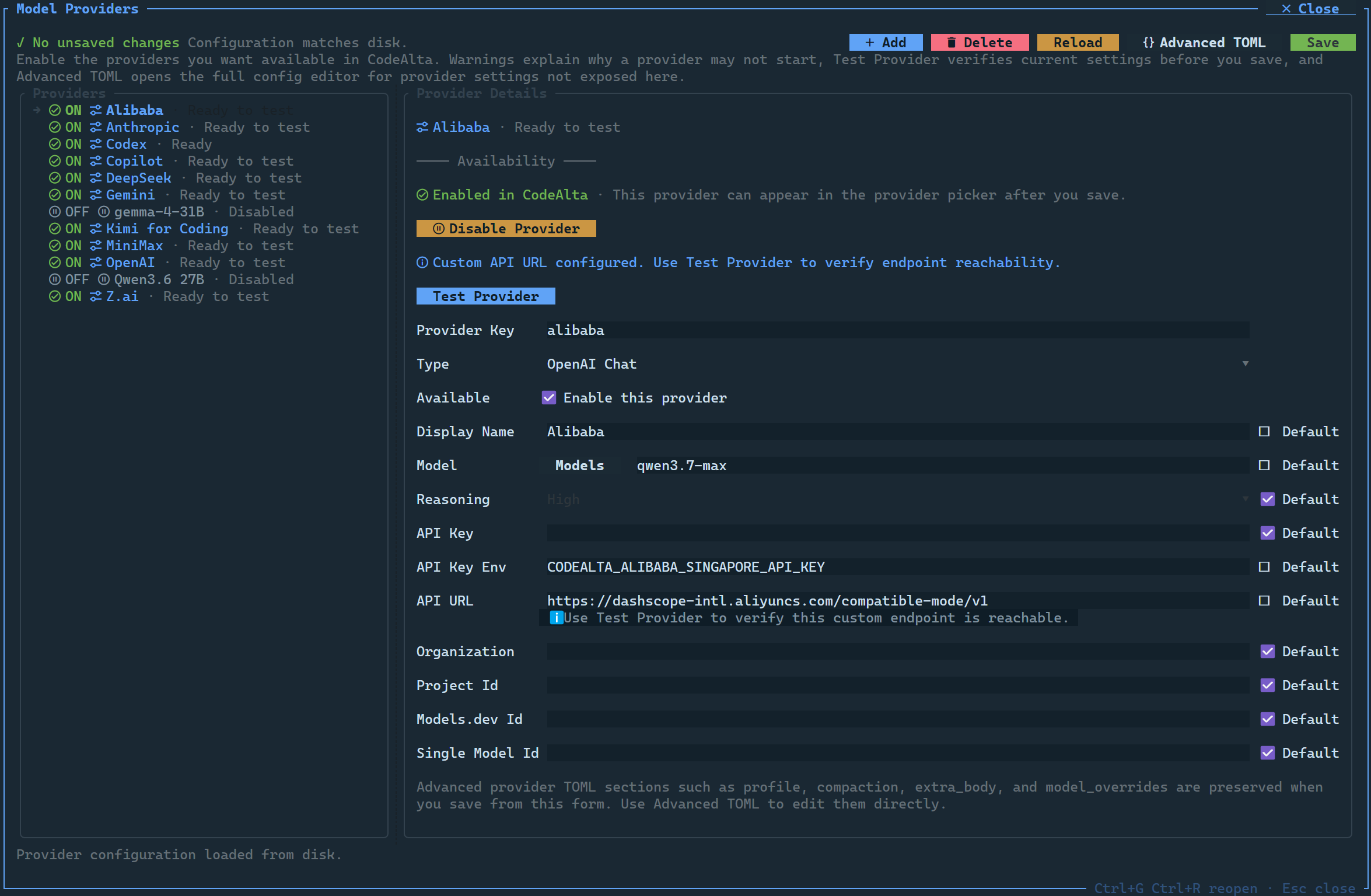
Models run through providers, not a single-vendor integration. Credentials, endpoints, models, reasoning effort, capabilities and context limits work the same way for every provider.
What this means in practice:
- Hosted APIs, subscriptions, cloud providers and custom endpoints are set up the same way.
- Local models are reached through whichever supported API fits them.
- Reasoning, tool and image support, and context limits are shown where you choose a model.
- Providers are set up in the app or in TOML.
- A project can override the global provider defaults.
Native .NET foundation
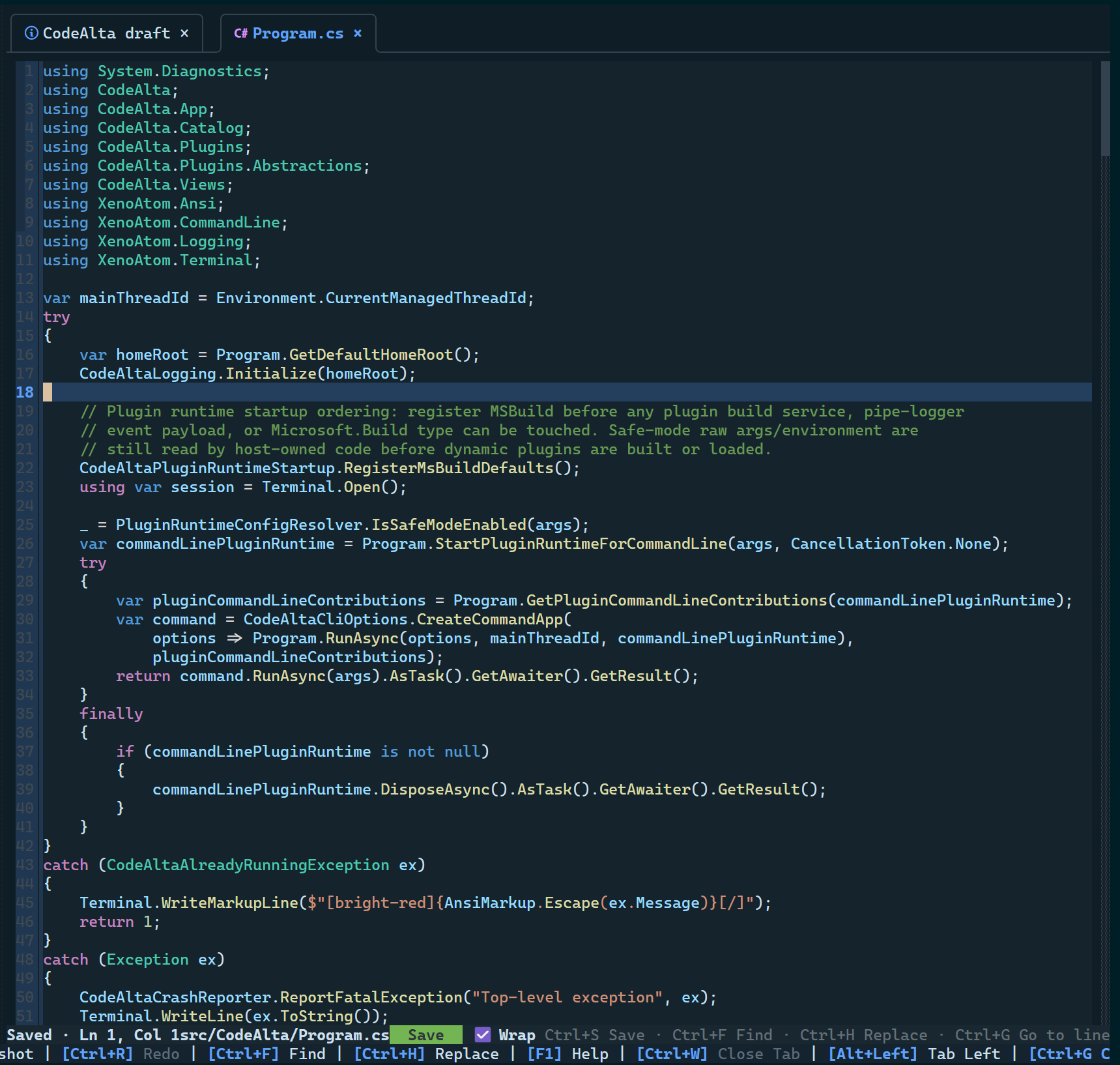
CodeAlta stays native to C#/.NET, with a runtime and dependencies that are easy to understand, audit and control.
What this means in practice:
- The app, its libraries, its plugin interfaces and its tests are .NET.
- The XenoAtom libraries come from the author of CodeAlta.
- Other major dependencies come from established vendors, platform owners, model providers and well-maintained .NET libraries.
- A narrower dependency graph reduces supply-chain exposure, without claiming to remove it.
- Working the same on every platform is a core constraint, not an afterthought.
Actionable errors
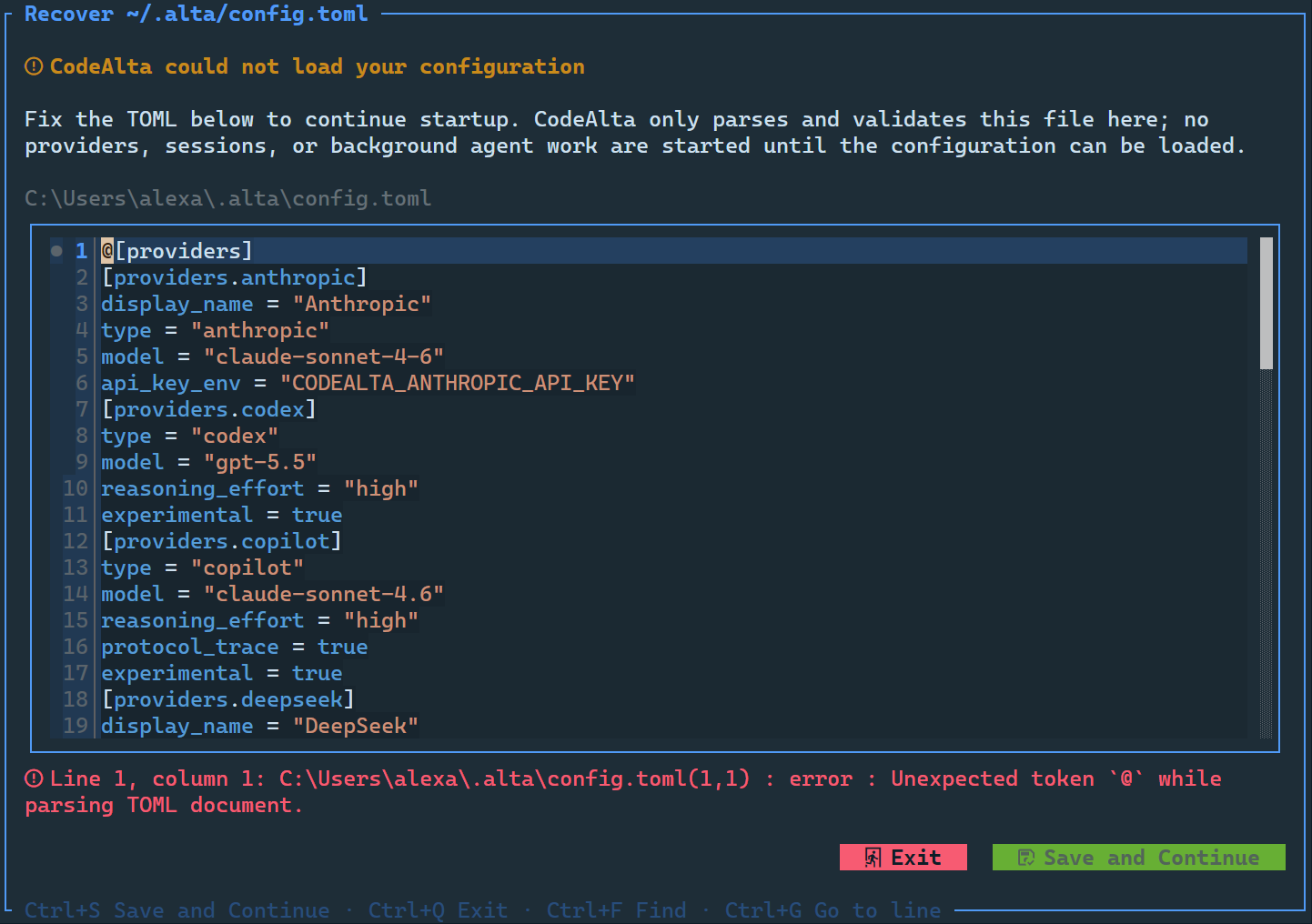
A failure comes with a way to repair it, shown where it happened, with enough context to fix or investigate.
What this means in practice:
- Without a usable provider, the first launch opens the provider setup.
- The provider editor flags missing or conflicting settings at once, and tests credentials and endpoints.
- An invalid
~/.alta/config.tomlopens a recovery editor that checks it as you type. - Errors of agent runs appear in the timeline, not only in the logs.
- The logs are in the app.
- A plugin that breaks the startup can be turned off for a run.
Extensible workflows
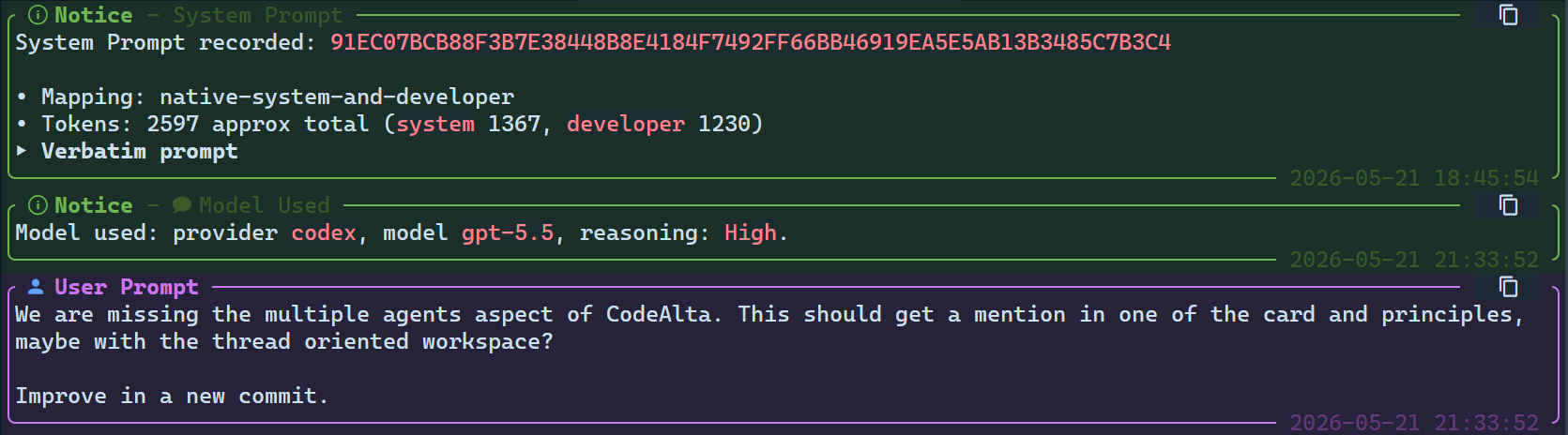
Workflows are composed before any code is written: agent prompts define modes, the alta tool lets agents drive CodeAlta, MCP servers and skills add tools and reusable context, and plugins add trusted .NET code when the app itself must change.
What this means in practice:
- Modes such as Default, Plan, review, triage or release are agent prompts you choose, and a project can override them.
- With
alta, agents inspect projects and sessions, ask questions, keep notes, set reminders, switch prompts and coordinate child sessions. - MCP servers bring other tools without a CodeAlta plugin for each.
- Skills are reusable context that runs no code.
- Plugins stay source-visible and manageable, for what needs the app's interface, runtime, prompts, timeline, tools or
altacommands. - The state, diagnostics and recovery of extensions stay inspectable.