Monorepos
A repository can declare the folders of it that are projects of their own: Billing in services/billing, Web in apps/web. Each one is a sub-project: a project with its own sessions, plans, tasks, skills and agents, on top of the setup of its repository. The repository says so in its project map, .alta/projects.toml, a file committed with it: whoever adds the repository gets the same sub-projects, grouped under it with the team's labels, and a change of the map arrives with git pull.
A sub-project is any folder of the repository: a service, an app, a library, a git submodule, or a folder inside a submodule.
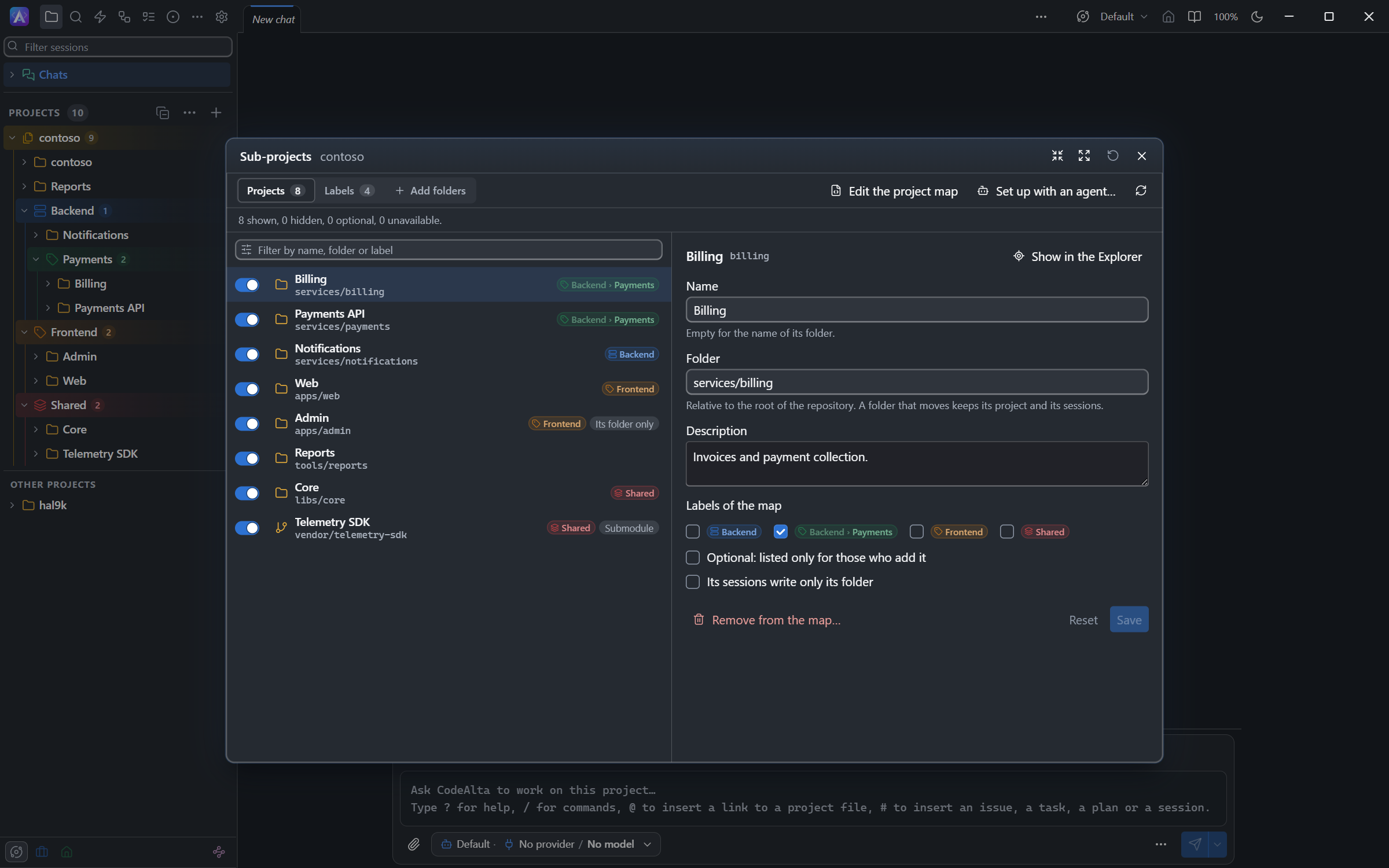
In the Explorer
CodeAlta Desktop lists a repository with sub-projects as a group:
- The title of the group is the repository. Its chevron folds the group.
- The first row is the repository itself: the sessions that work at its root.
- The labels of the map nest under it, with their sub-projects, then the sub-projects without a label.
- The group goes where its repository goes: under your first label of the repository, or at the top.
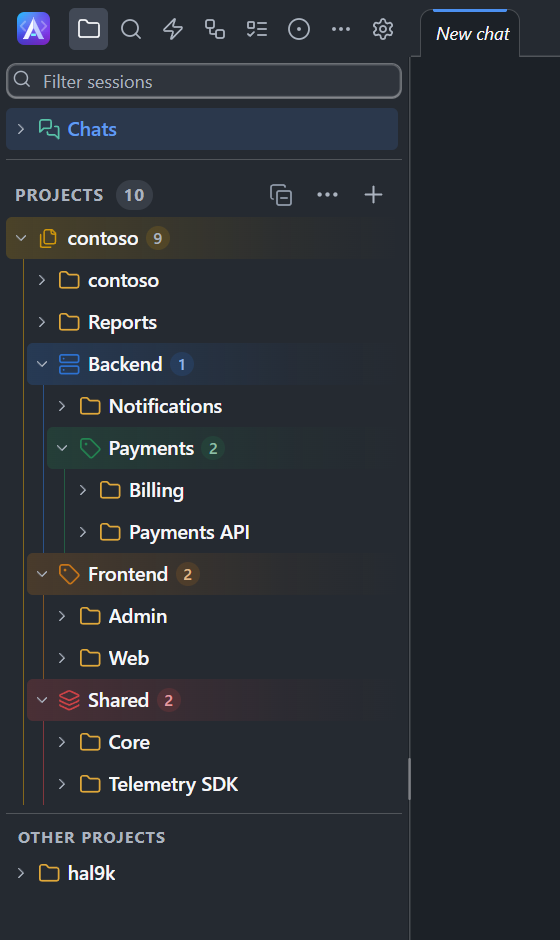
Away from its group, in One list, Favorites or under a label of yours, a sub-project shows its repository before its name, dimmed: contoso › Billing. The Workspace chip of its prompt does the same, and its popover names the folder of the sub-project in its repository.
You still give your own labels to a sub-project. The labels of the map are the team's: you change them in the map, not in Settings > Labels.
CodeAlta TUI lists the sub-projects as projects, without the group.
The Sub-projects window
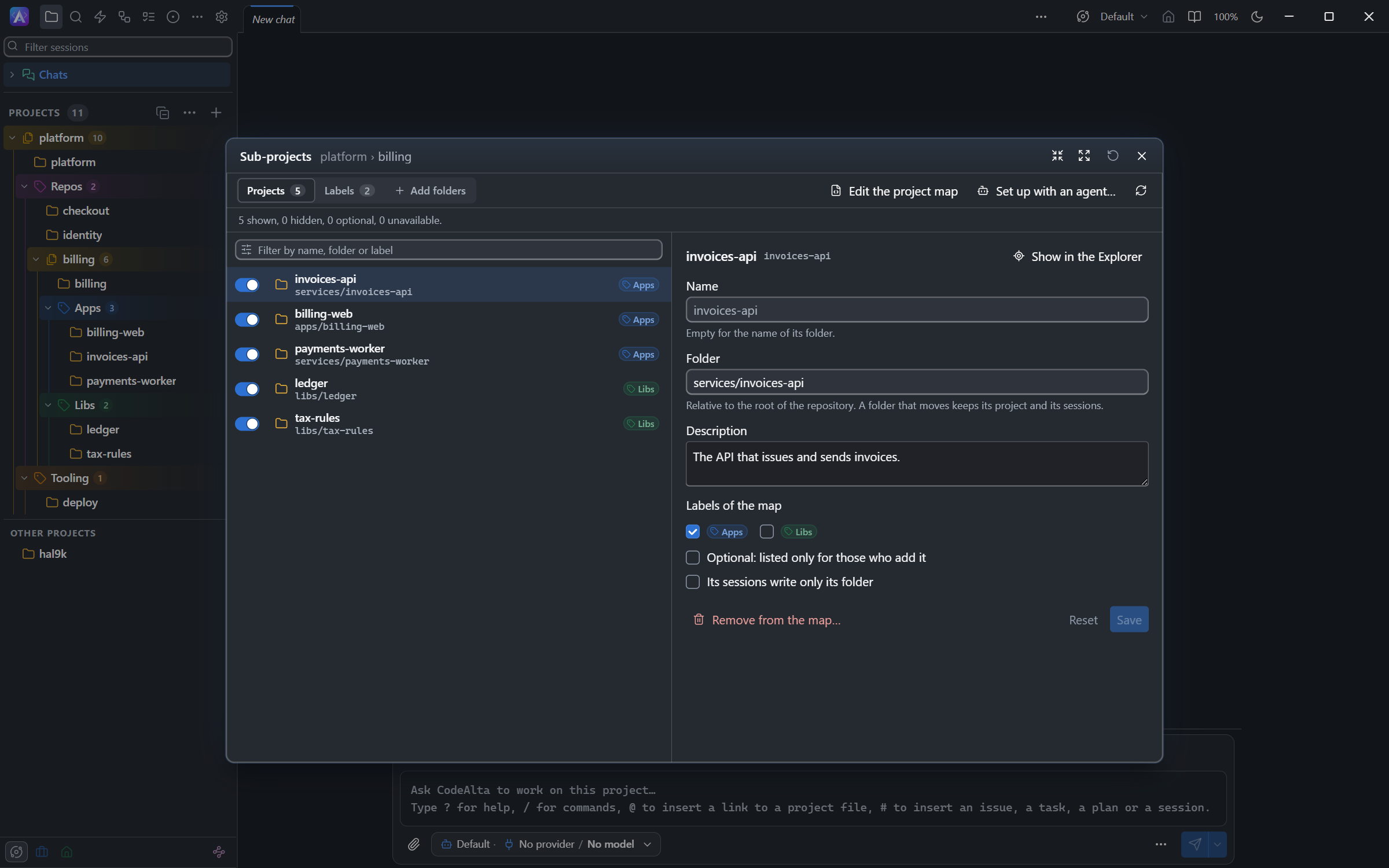
Open it with Sub-projects… in the ⋯ menu of the repository row, or the gear of the group title. On a sub-project, Sub-projects of the repository… opens the window of its repository.
| To | Do |
|---|---|
| Hide a sub-project you do not use | Turn its switch off. It leaves your Explorer only: the map stays as it is, and its sessions are kept. |
| Add an optional sub-project | Turn its switch on. An optional sub-project is listed only for those who add it. |
| Rename it, move its folder, describe it | Select it, change its form, Save. A folder that moves keeps its project and its sessions: the key of the entry is its identity. A folder you had added as a project before it was in the map keeps its own identity, and its file remembers which entry it is from its next session on. |
| Give it labels of the map | Tick them in its form. |
| Keep its sessions in its folder | Its sessions write only its folder. Otherwise they may write the whole repository: a change in a monorepo often crosses folders. |
| Remove it from the map | Remove from the map…. Its folder stays; once it has sessions, it stays a project of its own. |
| Change the labels of the map | The Labels tab: create a label, put it under another one, choose its icon and color. |
| Add folders | The Add folders tab lists the folders that hold a project (package.json, a .csproj, Cargo.toml, go.mod…) and the git submodules. Narrow the list with a pattern such as services/*, tick the folders, Add. |
| Read the file | Edit the project map opens it in the code editor. |
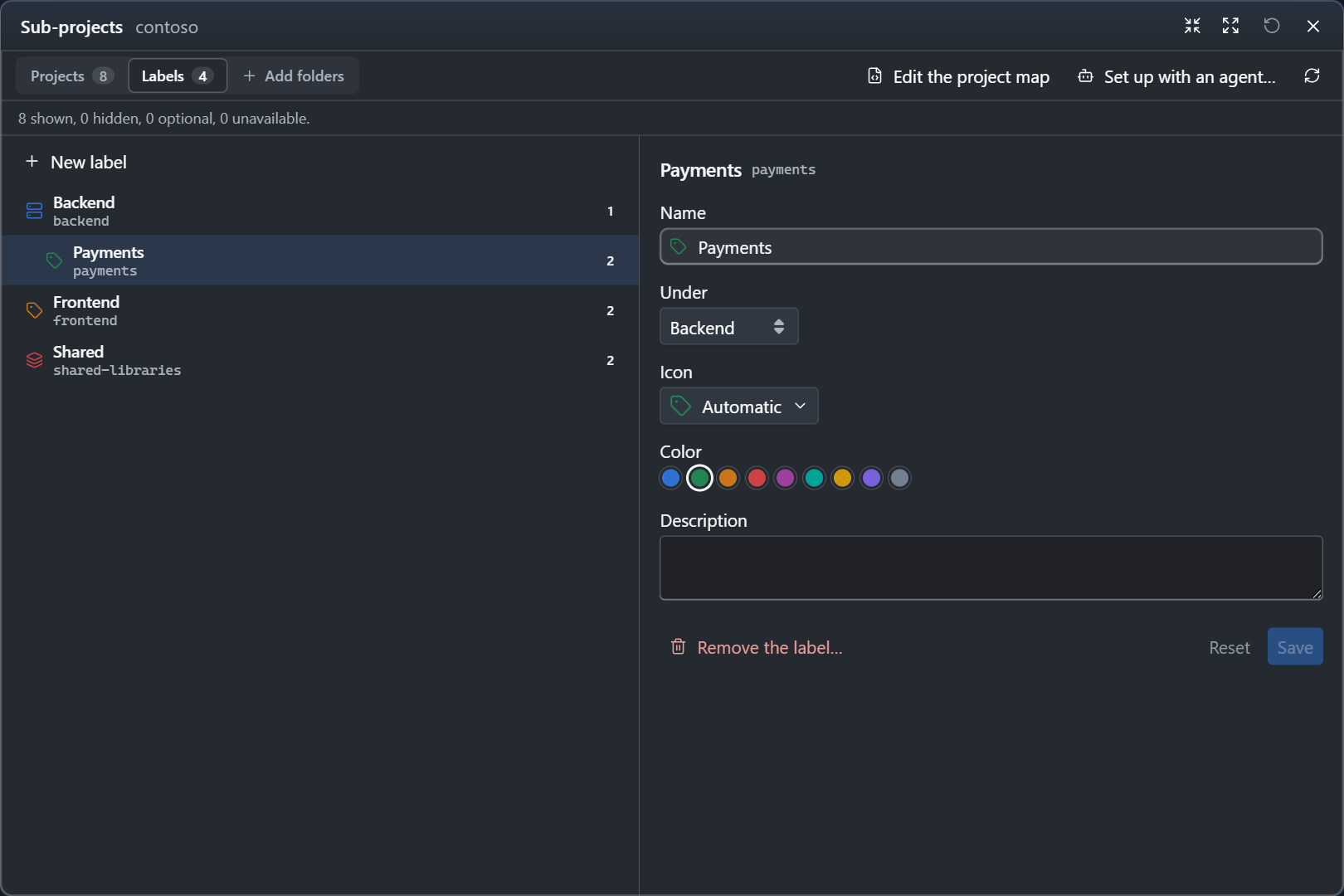
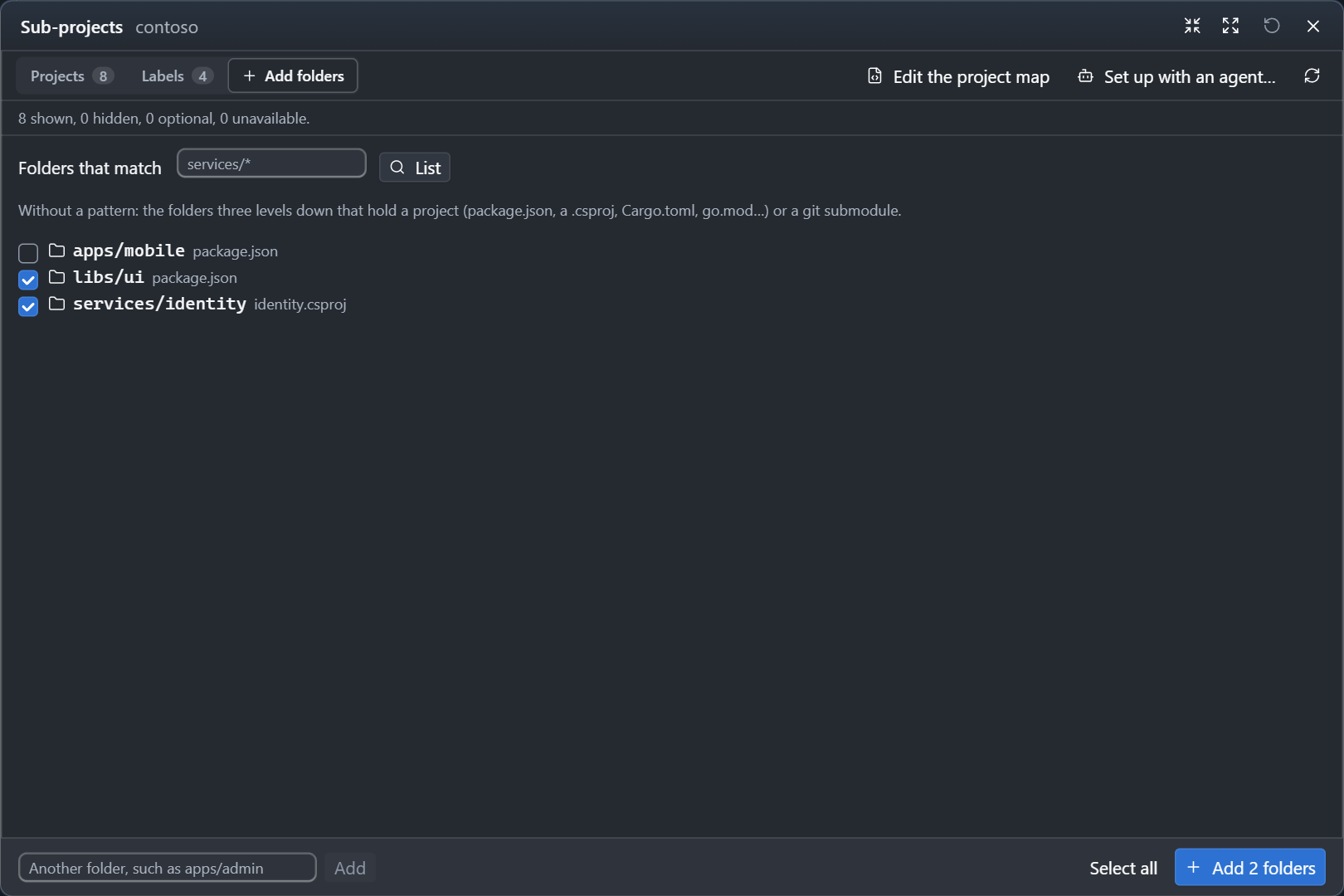
A change of the map writes .alta/projects.toml in the repository: review it in Changes and commit it, so that your team gets it. Hiding and adding optional sub-projects writes only your own files.
When the map has a mistake, such as a folder that is not there, the window says what it leaves out. The rest of the map still works.
Set a monorepo up
When you add a folder whose map declares sub-projects, CodeAlta Desktop says how many, with Choose…. A folder that looks like a monorepo without a map (a pnpm, npm, Cargo, Go or Nx workspace, git submodules, several solutions) offers Set up as a monorepo….
Set up with an agent…, in the window or in the menu of the repository, puts a prompt in a new session of the repository. Its agent uses the built-in skill codealta-monorepo: it reads the workspace files, CODEOWNERS and the submodules, proposes the sub-projects and their labels, asks you, then writes the map. Read the prompt, change it if you like, and send it.
A map inside a sub-project
A sub-project can have a project map of its own: a repository cloned inside another one, or a large folder of the same repository. It is then a repository too:
- In the Explorer, its group nests in the group of its repository, under its label of that map: platform › Repos › billing › Apps › invoices-api.
- Sub-projects… on its title opens its own map. On the row of a sub-project, the ⋯ menu has both Sub-projects…, for a map of its own, and Sub-projects of the repository…, for the map above it. A sub-project without a map starts one there.
- Its sub-projects get the setup of every repository above them, the nearest first, and their sessions write their own repository, the one of the nearer map.
- Agents in a session of the sub-project read and change its own map with
alta project manifest.
Maps nest four levels deep. When two maps declare the same folder, the nearer one wins, and the other lists that entry among its problems. A map that is not read, because it is too deep or a link leads back to a folder whose map is read already, says why in the Sub-projects window and in alta project manifest show.
What a sub-project gets from its repository
A session of a sub-project works in its folder, and gets the setup of the repository on top of its own:
A session of services/billing gets |
|
|---|---|
AGENTS.md, CLAUDE.md, .github/copilot-instructions.md |
Those of the root, then of each folder down to its own |
| Skills | Its own, then those of the repository; the nearest wins on a name |
| Agent prompts | Its own, then those of the repository |
| MCP servers | Both; its own wins on a name |
.alta/config.toml |
The repository's, then its own on top: what the repository turns off stays off. Changes are written to its own file. |
| Plugins | Those of the repository; a plugin of its own with the same id takes its place |
| Plans, tasks, automations | Its own only |
| Issue views | Its own, else those of the repository |
| Spaces, sandbox, added folders of skills | Those of the repository, unless you chose others for the sub-project |
A sub-project is in the spaces of its repository. Its sessions write the whole repository unless the map says write = "folder", and never the .alta, .claude and .git folders of any project in it. A session in a worktree writes the repository in that worktree; a sub-project that is a git submodule has worktrees of its own repository. A worktree of a sub-project is a checkout of its repository, and the session works in the same folder of it; a sub-project that is a git submodule gets worktrees of the submodule.
Agents and the map
Agents read and change the map with alta project manifest, and list the sub-projects with alta project list --parent <repository>. Ask in your own words:
Set this repository up as a monorepo.
Add tools/reports to the map as an optional project.
Run the tests of every sub-project labeled Backend.
A sandboxed session reads the map and does not change it.
The file
The map is TOML. The key of a project is its identity; path is relative to the root of the repository.
# <repository>/.alta/projects.toml

[labels.backend]
name = "Backend"
icon = "server"
color = "#2d72d2"

[labels.payments]
name = "Payments"
parent = "backend"

[projects.billing]
path = "services/billing"
name = "Billing"
description = "Invoices and payment collection."
labels = ["payments"]

[projects.web]
path = "apps/web"
write = "folder"

[projects.reports]
path = "tools/reports"
optional = true
- A path stays inside the repository: no
.., no absolute path, no link that leads out, and never a folder of settings such as.alta,.claude,.gitor.codex, nor one inside. - A map declares up to 2,000 projects and 256 labels; labels go four levels deep.
- A sub-project can have a map of its own: see A map inside a sub-project. A folder two maps declare belongs to the nearer one.
- Hidden sub-projects, and those you used, have a file of yours in
~/.alta/projects/, as any project. The others are kept in memory.