Jira plugin
Many projects keep their code on GitHub or GitLab and their issues in Jira. The built-in Jira plugin brings a Jira project's issues into CodeAlta: in the Issues tab, for agents, and as a trigger of automations.
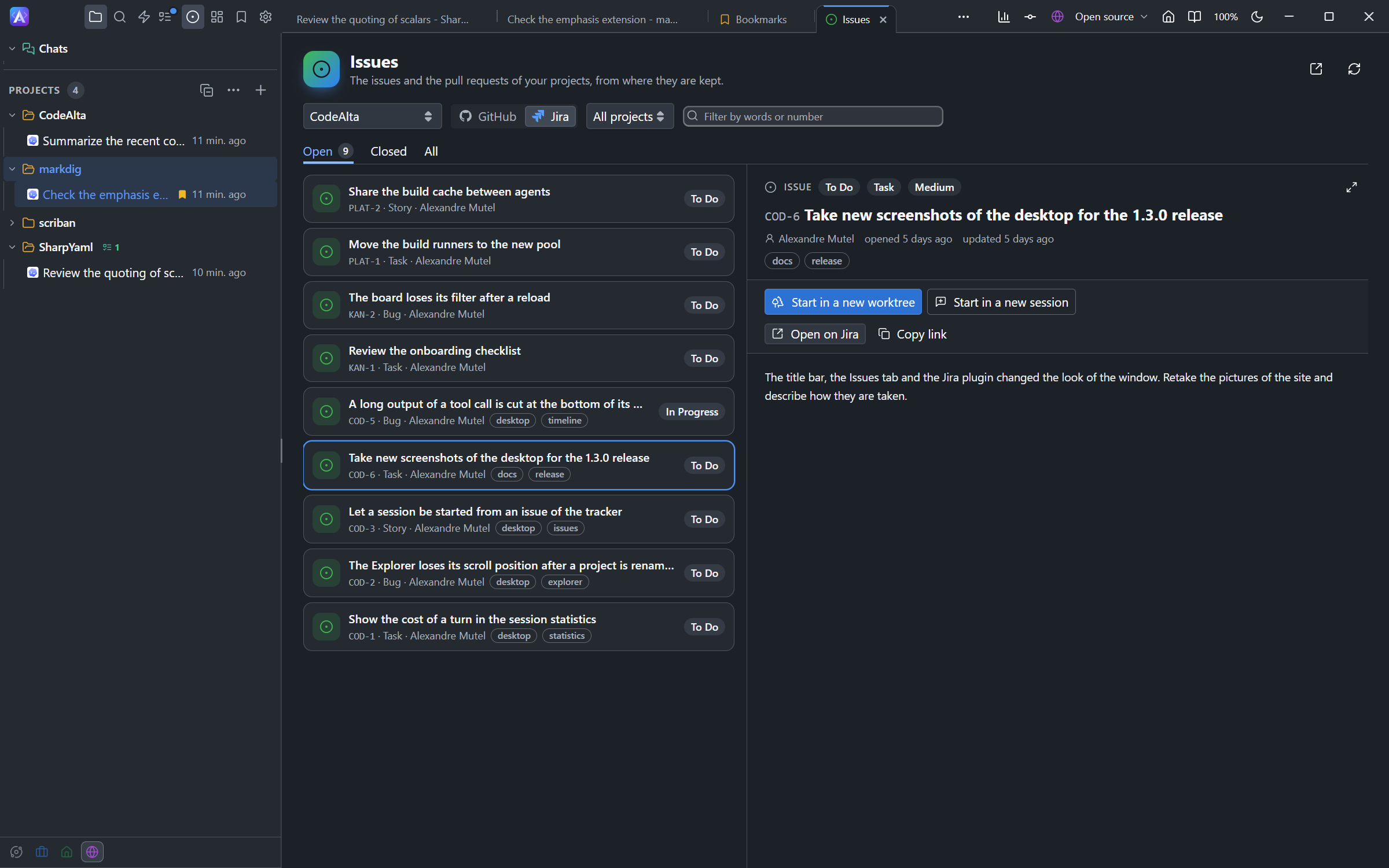
Turn it on for a project
Jira is turned on per project. Add this to the project's .alta/issues.toml (the file that also holds the team's views of the Issues tab) and commit it:
[jira]
site = "example.atlassian.net"
project = "ALTA"
| Key | What it is |
|---|---|
site |
The address of your Atlassian site. |
project |
The key of the Jira project: the letters before an issue number, as in ALTA-12. |
The first time a project needs Jira, CodeAlta downloads the Atlassian CLI (acli) into ~/.alta/cache/jira and says so in a notice. Nothing is downloaded for other projects.
Several Jira projects
A repository can hold the work of several teams, each with its own Jira project. Name the others in projects:
[jira]
site = "example.atlassian.net"
project = "ALTA"
projects = ["PLAT", "TEAM"]
- Their issues are listed together, most recently updated first; the key (
PLAT-7) tells the project. - In the Issues tab, the list beside Jira shows All projects or one of them.
- New issues go to
project(hereALTA), or to the first ofprojectswithout it. An agent creates an issue elsewhere only when you name the project, and never outside the list. - All projects are on the same site; 20 at most are read.
- When your account cannot see a project, the tab lists the others and names the missing one.
Sign in
CodeAlta uses the sign-in of the Atlassian CLI.
In the browser. Run Jira: Sign in from the search (Ctrl+P). A terminal opens, the browser asks you to allow the Atlassian CLI, and the terminal asks for the site. Then reload the Issues tab.
With an API token, without a browser. Create a token in your Atlassian account and set two variables before you start CodeAlta:
export JIRA_EMAIL=me@example.com
export JIRA_API_TOKEN=...
To use other names, add email and token_env to [jira] in the project's .alta/local/issues.toml, which is yours and kept out of git:
[jira]
email = "me@example.com"
token_env = "MY_JIRA_TOKEN"
- Your file wins over the team's file.
emailandtoken_envare read only from your file or from the Jira account of a space, never from the team's file: a clone of the repository must not choose which token is sent to its site.- CodeAlta writes
.alta/local/.gitignore(with*) the first time it saves a view of yours. If you write this file first, create that.gitignoreyourself. - The token stays in your environment; CodeAlta writes it nowhere.
- When either file is not valid TOML, Jira is off for the project. If a file declares Jira, the Issues tab still shows Jira and names the file to fix.
Jira: Status, in the search, says whether Jira is ready and what is missing.
The Jira account of a space
The Jira card in a space's Identity gives the site, email and token variable for its projects, which then need only project in [jira]. What the project writes wins. The Atlassian CLI keeps one login per computer: when two spaces use two accounts, their sessions take turns and the CLI switches.
spaces in [plugins.jira] of ~/.alta/config.toml keeps the plugin to some spaces (see What a space has).
What you get
The Issues tab shows Jira beside the repository's service. Choose Jira next to the project to list, filter and read issues with their comments, open one in Jira, or start a session on it.
Agents read issues with
alta issueand change them withalta jirawhen you ask:Create a Jira bug for the crash we just found, then move ALTA-12 to In Progress.Create a Jira story in PLAT for the new build cache.Automations can start when an issue of any of the project's Jira projects is created or updated: the Jira issue trigger. CodeAlta checks Jira every five minutes.
Turn it off
Set enabled = false in the project's [jira], and remove any [plugins.jira] table from its .alta/config.toml (removing [jira] alone brings that older table back). enabled = false in your .alta/local/issues.toml turns Jira off for you alone.
Earlier configuration
Projects used to name Jira in [plugins.jira] of .alta/config.toml. That table is still read while .alta/issues.toml names no site, url, project or projects, and Jira: Status says where it belongs now: site, project and projects in [jira] of .alta/issues.toml, email and token_env in [jira] of .alta/local/issues.toml. CodeAlta does not move it, since that changes a file of the repository.